Conects: Math Solver – ST&Company inc.

ST&Company inc. - Conects: Math Solver artwork Conects: Math Solver
ST&Company inc.
Genre: Education
Release Date: November 30, 2018

Stuck on a problem?

Get instant Step-by-Step solutions!

Answers in a snap!

Just 2 steps!

1) Take a photo of any Math & Science problem

2) Receive instant step-by-step solutions

ALL SOLUTIONS WITHIN SECONDS!!!

Yes, that’s right – seconds…

▷Technology is making studying easier! Homework easier!

▷What if I want help from actual people? WORRY NOT! We got that too!

Conects is with a community of a lot of expert tutors, and they are online 24/7 ready to help.

A lot of students use Conects to access instant step-by-step answers.

Conects guarantees you math & science help when you need it 24/7, anytime, anywhere.

We make it easy for you to get help so you can have more free time, less stress, and get better grades!

▷Main Features

1) Instant Search Engine: Answers in seconds! Answers to ALL Math & Science problems.
Even Geometry and Word problems!

2) Expert Live Tutors available for chat 24/7. Ask them any Math & Science problem.
They will help you step-by-step until you understand.

▷ We cover SO MANY topics!

Conects covers a wide variety of topics in Algebra, Calculus, Precalculus, Geometry, Trigonometry, Statistics and Probability, Physics, Chemistry, Biology, Earth Science, Anatomy and Physiology, Computer Science, Chemical Engineering, Electrical Engineering, Mechanical Engineering, Civil Engineering, Accounting, Economics, Finance, Operations Management, Advanced Math, Linear Algebra, Discrete Mathematics, Finite Mathematics, Differential Equations, Business Math

▷ Expert Tutors

1) Our tutors can help you solve even the hardest types of problems, including diagrams or complex questions.

2) Access your complete tutoring session history whenever you need another quick view.

Conects is the easiest way to get the solution to your problem.

• Are you still reading tedious and boring textbooks? Are you sleep deprived?

• Are you lost in school? Can't catch up to other peers?

With Conects you will not only understand the problem, you will understand the concept.

▷ REVIEWS

"Best study app ever!!"

"Conects is by far the best studying app I've downloaded."

"Conects is an irreplaceable tool when it comes to problem-solving."

"Easy to use and efficient, Conects appeals to anyone who needs help in solving mathematical problems."

[Subscription Plans]

1. 5 QUESTIONS MONTHLY / $4.99 per month.

2. 20 QUESTIONS MONTHLY / $13.99 per month.

3. 60 QUESTIONS MONTHLY / $38.99 per month.

The length of the subscription is a month.

If you have purchased a subscription, then you can submit the number of questions per month that comes with the subscription level you have purchased. If you do not submit the full number of questions that you can submit in a month under your subscription, the remaining number of questions does not roll over to the following month.

Payment will be charged to your Apple ID account. The subscription automatically renews unless it is canceled at least 24 hours before the end of the current period. Your account will be charged for renewal within 24 hours prior to the end of the current period. You can manage and cancel your subscriptions by going to your App Store account settings after purchase.

Terms of Use: http://qna-api.conects.com/terms
Privacy Policy: http://qna-api.conects.com/policy

SUPPORT & FEEDBACK

If you have any issues or want to help improve Conects with feedback, please contact us directly: conects.qna@gmail.com.

We are more than happy to answer all your questions and solve any issue, so make sure you contact us before leaving your review!

PLEASE NOTE

– Requires a wireless connection or mobile data plan.
© © ST Unitas. All rights reserved.

SketchAR: learn how to draw – SketchAR

SketchAR - SketchAR: learn how to draw artwork SketchAR: learn how to draw
SketchAR
Genre: Education
Release Date: April 17, 2017

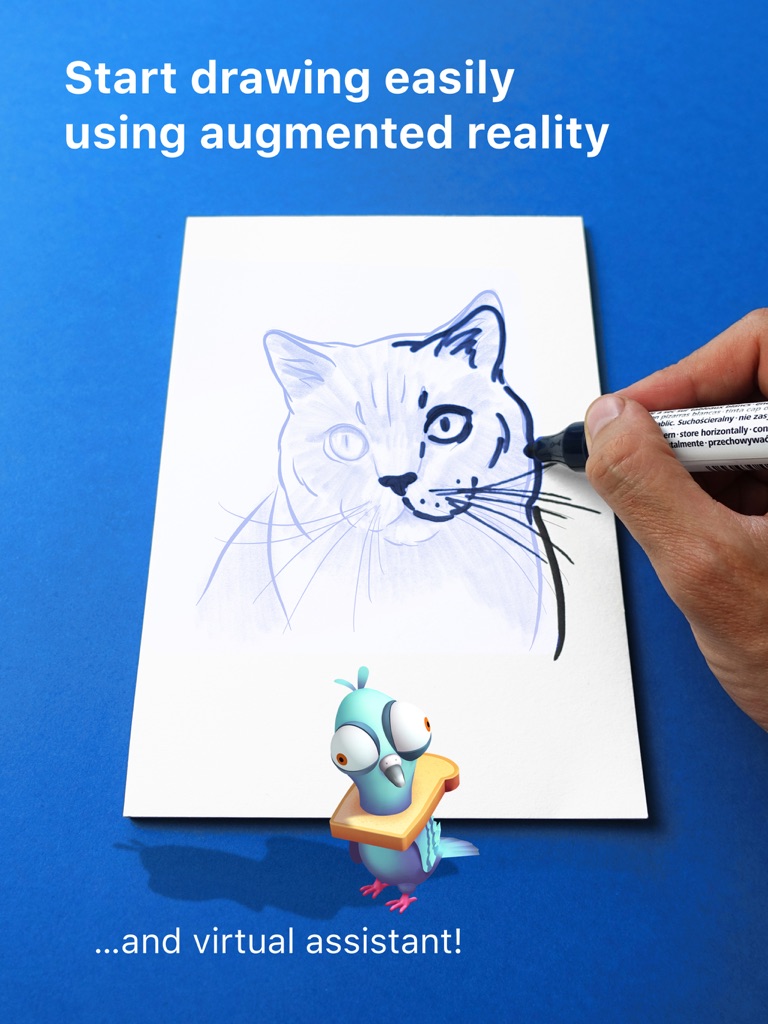
Learn how to draw using new SketchAR 5.0 technology – computer vision and augmented reality merged together to speed up the learning process and make it more entertaining.

SketchAR is for those who have always wanted but have never been able to draw. Also, the app is designed for professional artists as a simp​le and convenient way to trace sketches onto any desired surface (e.g., canvas, wall, etc.).

FOR CORRECT DETECTION, PLEASE FOLLOW THE TIPS!
– A bright enough environment. Every AR-technology requires a sufficiently bright room.
– Don’t forget to use a clipboard etc. or your piece of paper will move during the process of sketching.
– Don't shake a smartphone.

1. NO more markers for AR! We made it!
We are happy to say we have finally integrated the first version of our computer vision Method which doesn't use any pre-installed markers. Now you only need to show a piece of paper to your camera, and virtual sketch will appear on the surface.

2. Courses with drawing lessons.
Choose between a number of step-by-step drawing lessons. You can start with a beginner set or delve deep into a specific topic of your choice to improve your skills via portraits or learn how to draw anime. Learn to draw animals, cartoons, anime, graffiti and lots of other cool things.

3. Step-by-step drawing tool.
If you don't have a paper to try out our main feature, you can practice via a new drawing tool. The distinguishing feature is that the app gives you the right tool at each stage when you need it. (a pencil, a marker or a brush). A time-lapse of your work will automatically be saved in the app profile. You can share your achievements with friends.

If you want to draw on big surfaces such as a wall or large canvas, you have to use a smartphone with ARKit, all iPhones after 6s
For other smartphones, SketchAR will work correctly only on an A4/A5 size of paper.

You can try all function for free or there are in-app purchases to access all functions for periods:
• One month subscription
• One year subscription
• Lifetime access

YOU WILL HAVE ACCESS TO:
– All lessons
– All library examples
– Add any image from a device
– All functions (surfaces)
– A virtual Assistant

Payment will be charged to iTunes Account at confirmation of purchase.
Subscription automatically renews unless auto-renew is turned off at least 24-hours before the end of the current period
Account will be charged for renewal within 24-hours prior to the end of the current period, and identify the cost of the renewal
Subscriptions may be managed by the user and auto-renewal may be turned off by going to the user's Account Settings after purchase
Any unused portion of a free trial period, if offered, will be forfeited when the user purchases a subscription to that publication, where applicable

Terms of use: http://sketchar.tech/terms/
Privacy policy: http://sketchar.tech/privacy/

We always want to know your opinion. Remember that you can always message us through the in-app chat or email: support@sketchar.tech

© © SketchAR, UAB