Dungeon Master Toolbox – Austin Langston

This is a tool designed to help Dungeon Masters quickly create Towns with vibrant people tailored to their needs. It will automatically create NPCs and Towns complete with Inventory, Stats, Personality, and so on. You can also add your custom NPCs to provide your personal touch. You can also add Encounters to your game, make them yourself or have a random encounter. Save all of this in your Campaign using the app and manage all of your Campaigns while playing with friends!

Quickly create a Campaign, add a town complete with shops; citizens; and everything you need in both to answer your players questions. Create Encounters and modify them then enter combat and add them and your players in an imitative order that’s all taken care of by the app with your input. Store all of your notes in this app as well, have everything to be prepared for your next tabletop experience!

The goal of this app is not to replace the hard work Dungeon Masters do to create a Master Piece, instead it is to aid them by providing a more full world in addition to the hard work they’ve already put in and then save information for their convenience. To this end it is not intended as a resource book for a particular game but instead a resource book for your stories, adventures, and world

Frontline LLS – LL studio Software ltd

Frontline is a Software as a Service (SaaS) platform that allows customers to manage the creation and distribution of their knowledge base across all manner of operating systems, devices and locations anytime and anywhere. Companies can manage their procedure authoring and updating, technical writing, work instruction and troubleshooting from the Frontline platform.

Frontline is composed of several modules including:
• Frontline Procedure
• Frontline AR
• Frontline Virtual Training
• Frontline Analytics

Frontline Procedure is the centralized web-based authoring tool where the administrator can set up projects, assign roles and tasks and control permissions for team members. Admins can easily create new procedures using a visual drag-and-drop UI that even your grandma can figure out.

The Frontline App is supplementary to the Frontline service suite that allows mobile users to display and follow along with published procedures, initiate remote AR support sessions (Frontline AR), and both assign and receive tasks. The Frontline App has three modules in it:
• Knowledge Base
• Frontline AR
• Tasks

Frontline Feature list
• EDITOR: Our editor features a drag-and-drop canvas that allows you to create step-by-step procedures quickly and easily. Users can create all manner of procedures ranging from simple linear procedures to complex decision tree troubleshooting. By connecting various available supporting media (short clips, images or graphs) you can greatly reduce human error.

• COLLABORATORS: You can assign dynamic roles and a permission table which allows you to ensure that everybody is doing only the work they are supposed to be doing. Frontline removes the pain from corresponding with multiple divisions within your organization and unifies everyone to work together in the same place.

• KNOWLEDGE BASE: Upload images, video, PDFs and even detailed 3D models (digital twins) to create procedures that make sure all your company’s knowledge is saved and accessible from one place.

• TASKS: Assign tasks and attach published procedures to them. Remind your team members to do daily maintenance or build a training “to do checklist”. Simply attach the correct procedure you want for the task and then assign the task to the appropriate team member. All tasks leave a digital paper trail that helps keep everyone organized and accountable.

• ANALYTICS: Every Frontline App session executed by a team member is logged and can be displayed as a simulated review. OR when wearing smart glasses or HMDs you can see a recording of the actual procedure as done by the end user at their eye level. Additionally, all session durations are recorded along with how long each step took to help identify areas of improvement.

• AR SUPPPORT: Initiate a live remote video session with an expert back at the office service center using a tablet, mobile phone or AR headset. Frontline AR allows for multiple users on one call and everyone has the ability to create and display AR annotations. This creates an invaluable common language between subject matter experts and frontline personnel.

Adventist Melodies – Brian Bawuah

This app includes all the popular hymns with sound in English and Twi

Features
– User friendly interface
– Includes sounds
– Twi and English
– Search functionality
– Add to favorites

This app is based on the Seventh-day Adventist Hymnal Book.

Most of the hymns appear in other denominations as well.

This is the initial release of the app so there may be errors in the lyrics.

Contact us at [email protected] with your questions or comments!

God bless you!

Bait Them! – bugra bayrak

Requires iOS 10.0 or later. Compatible with iPhone 5S, iPhone 6, iPhone 6 Plus, iPhone 6S, iPhone 6S Plus, iPhone SE (1st generation), iPhone 7, iPhone 7 Plus, iPhone 8, iPhone 8 Plus, iPhone X, iPhone XS, iPhone XS Max, iPhone XR, iPhone 11, iPhone 11 Pro, iPhone 11 Pro Max, iPhone SE (2nd generation), iPhone 12 mini, iPhone 12, iPhone 12 Pro, iPhone 12 Pro Max, iPad Air, iPad Air Wi‑Fi + Cellular, iPad mini 2, iPad mini 2 Wi‑Fi + Cellular, iPad Air 2, iPad Air 2 Wi‑Fi + Cellular, iPad mini 3, iPad mini 3 Wi‑Fi + Cellular, iPad mini 4, iPad mini 4 Wi‑Fi + Cellular, iPad Pro (12.9‑inch), iPad Pro (12.9‑inch) Wi-Fi + Cellular, iPad Pro (9.7‑inch), iPad Pro (9.7‑inch) Wi‑Fi + Cellular, iPad (5th generation), iPad (5th generation) Wi‑Fi + Cellular, iPad Pro (12.9‑inch) (2nd generation), iPad Pro (12.9‑inch) (2nd generation) Wi‑Fi + Cellular, iPad Pro (10.5‑inch), iPad Pro (10.5‑inch) Wi‑Fi + Cellular, iPad (6th generation), iPad (6th generation) Wi‑Fi + Cellular, iPad Pro (11‑inch), iPad Pro (11‑inch) Wi‑Fi + Cellular, iPad Pro (12.9‑inch) (3rd generation), iPad Pro (12.9‑inch) (3rd generation) Wi‑Fi + Cellular, iPad mini (5th generation), iPad mini (5th generation) Wi‑Fi + Cellular, iPad Air (3rd generation), iPad Air (3rd generation) Wi‑Fi + Cellular, iPad (7th generation), iPad (7th generation) Wi‑Fi + Cellular, iPad Pro (11‑inch) (2nd generation), iPad Pro (11‑inch) (2nd generation) Wi‑Fi + Cellular, iPad Pro (12.9‑inch) (4th generation), iPad Pro (12.9‑inch) (4th generation) Wi‑Fi + Cellular, iPad Air (4th generation), iPad Air (4th generation) Wi‑Fi + Cellular, iPad (8th generation), iPad (8th generation) Wi‑Fi + Cellular, and iPod touch.

Casa di Cura Giovanni XXIII – Sogedin spa

La Casa di Cura “Giovanni XXIII” di Monastier,
E’ una struttura polispecialistica privata, convenzionata con il servizio sanitario nazionale e tra le più rinomate in Veneto.
Nata negli anni ’30 è un centro di riferimento
a livello nazionale per l’ortopedia con la sezione di Chirurgia Protesica, di Chirurgia Artroscopica
e di Chirurgia Spinale: è al primo posto in Veneto
per interventi di protesi ed al quarto nella classifica nazionale (fonte P.N.E. Ministero della salute).
La struttura dispone anche di:
> Dipartimento Medico Riabilitativo,
> Dipartimento Chirurgico
> Chirurgia Generale
> Chirurgia Vascolare
> Urologia
> Oculistica
> Day Surgery multidisciplinare
> il servizio di Diagnostica per immagini
(con apparecchiature di ultima generazione),
> Laboratorio Analisi
> Fisioterapia
> nuovissima Clinica Odontoiatrica
(8 riuniti High-Tech)
> numerosi ambulatori polispecialistici.
Servizi capaci di erogare oltre 441451 prestazioni ambulatoriali all’anno

3Dлогия – Olga Artamonova

Requires iOS 11.0 or later. Compatible with iPhone 6S, iPhone 6S Plus, iPhone SE (1st generation), iPhone 7, iPhone 7 Plus, iPhone 8, iPhone 8 Plus, iPhone X, iPhone XS, iPhone XS Max, iPhone XR, iPhone 11, iPhone 11 Pro, iPhone 11 Pro Max, iPhone SE (2nd generation), iPhone 12 mini, iPhone 12, iPhone 12 Pro, iPhone 12 Pro Max, iPad Pro (12.9‑inch), iPad Pro (12.9‑inch) Wi-Fi + Cellular, iPad Pro (9.7‑inch), iPad Pro (9.7‑inch) Wi‑Fi + Cellular, iPad (5th generation), iPad (5th generation) Wi‑Fi + Cellular, iPad Pro (12.9‑inch) (2nd generation), iPad Pro (12.9‑inch) (2nd generation) Wi‑Fi + Cellular, iPad Pro (10.5‑inch), iPad Pro (10.5‑inch) Wi‑Fi + Cellular, iPad (6th generation), iPad (6th generation) Wi‑Fi + Cellular, iPad Pro (11‑inch), iPad Pro (11‑inch) Wi‑Fi + Cellular, iPad Pro (12.9‑inch) (3rd generation), iPad Pro (12.9‑inch) (3rd generation) Wi‑Fi + Cellular, iPad mini (5th generation), iPad mini (5th generation) Wi‑Fi + Cellular, iPad Air (3rd generation), iPad Air (3rd generation) Wi‑Fi + Cellular, iPad (7th generation), iPad (7th generation) Wi‑Fi + Cellular, iPad Pro (11‑inch) (2nd generation), iPad Pro (11‑inch) (2nd generation) Wi‑Fi + Cellular, iPad Pro (12.9‑inch) (4th generation), iPad Pro (12.9‑inch) (4th generation) Wi‑Fi + Cellular, iPad Air (4th generation), iPad Air (4th generation) Wi‑Fi + Cellular, iPad (8th generation), iPad (8th generation) Wi‑Fi + Cellular, and iPod touch (7th generation).

FruitDropFromTree – Just Inatata

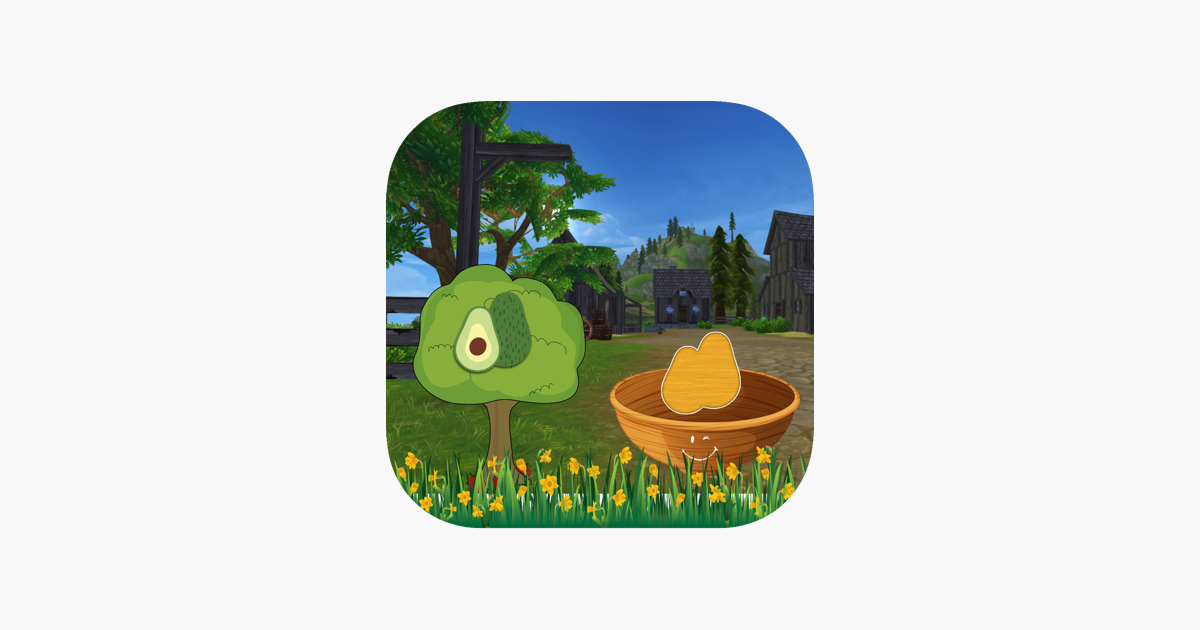
This free FruitDropFromTree app help to develop identify fruit from it shadow and also by number skills while playing this app.

How to play?

-> Player can tap on “start play” button to start learn this exciting drop fruits from trees.
-> It have two tree of fruits into screen that have some fruits every fruit have one unique value.
-> it also have fruit fruit bowl with shadow picture of fruit and also have one value to that shadow fruit.
-> Now player can drag fruit from tree and drop it into correct bowl.
-> Player can identify fruit by it shadow picture or number in this app.
-> Player cal also give rate to this app by click on the like button.

It is free entertainment app that player can play with fruits.

Agrolocaliza – Julio Feliciano Marques

O aplicativos Agrolocaliza disponibiliza as funcionalidades:

Agenda de leilões e os lotes de animais Profissionais da área rural, como veterinários, zootecnistas e outros mais
Profissionais da área de leilões, como leiloeiros
Informações importantes para o produtor e sua atividade do campo

Instale e aproveita as facilidades para o agronegócio.

Ball Barrage – Made Neriya

Requires iOS 10.0 or later. Compatible with iPhone 5S, iPhone 6, iPhone 6 Plus, iPhone 6S, iPhone 6S Plus, iPhone SE (1st generation), iPhone 7, iPhone 7 Plus, iPhone 8, iPhone 8 Plus, iPhone X, iPhone XS, iPhone XS Max, iPhone XR, iPhone 11, iPhone 11 Pro, iPhone 11 Pro Max, iPhone SE (2nd generation), iPhone 12 mini, iPhone 12, iPhone 12 Pro, iPhone 12 Pro Max, iPad Air, iPad Air Wi‑Fi + Cellular, iPad mini 2, iPad mini 2 Wi‑Fi + Cellular, iPad Air 2, iPad Air 2 Wi‑Fi + Cellular, iPad mini 3, iPad mini 3 Wi‑Fi + Cellular, iPad mini 4, iPad mini 4 Wi‑Fi + Cellular, iPad Pro (12.9‑inch), iPad Pro (12.9‑inch) Wi-Fi + Cellular, iPad Pro (9.7‑inch), iPad Pro (9.7‑inch) Wi‑Fi + Cellular, iPad (5th generation), iPad (5th generation) Wi‑Fi + Cellular, iPad Pro (12.9‑inch) (2nd generation), iPad Pro (12.9‑inch) (2nd generation) Wi‑Fi + Cellular, iPad Pro (10.5‑inch), iPad Pro (10.5‑inch) Wi‑Fi + Cellular, iPad (6th generation), iPad (6th generation) Wi‑Fi + Cellular, iPad Pro (11‑inch), iPad Pro (11‑inch) Wi‑Fi + Cellular, iPad Pro (12.9‑inch) (3rd generation), iPad Pro (12.9‑inch) (3rd generation) Wi‑Fi + Cellular, iPad mini (5th generation), iPad mini (5th generation) Wi‑Fi + Cellular, iPad Air (3rd generation), iPad Air (3rd generation) Wi‑Fi + Cellular, iPad (7th generation), iPad (7th generation) Wi‑Fi + Cellular, iPad Pro (11‑inch) (2nd generation), iPad Pro (11‑inch) (2nd generation) Wi‑Fi + Cellular, iPad Pro (12.9‑inch) (4th generation), iPad Pro (12.9‑inch) (4th generation) Wi‑Fi + Cellular, iPad Air (4th generation), iPad Air (4th generation) Wi‑Fi + Cellular, iPad (8th generation), iPad (8th generation) Wi‑Fi + Cellular, and iPod touch.

Cat escape – maria alicea

Requires iOS 10.0 or later. Compatible with iPhone 5S, iPhone 6, iPhone 6 Plus, iPhone 6S, iPhone 6S Plus, iPhone SE (1st generation), iPhone 7, iPhone 7 Plus, iPhone 8, iPhone 8 Plus, iPhone X, iPhone XS, iPhone XS Max, iPhone XR, iPhone 11, iPhone 11 Pro, iPhone 11 Pro Max, iPhone SE (2nd generation), iPhone 12 mini, iPhone 12, iPhone 12 Pro, iPhone 12 Pro Max, iPad Air, iPad Air Wi‑Fi + Cellular, iPad mini 2, iPad mini 2 Wi‑Fi + Cellular, iPad Air 2, iPad Air 2 Wi‑Fi + Cellular, iPad mini 3, iPad mini 3 Wi‑Fi + Cellular, iPad mini 4, iPad mini 4 Wi‑Fi + Cellular, iPad Pro (12.9‑inch), iPad Pro (12.9‑inch) Wi-Fi + Cellular, iPad Pro (9.7‑inch), iPad Pro (9.7‑inch) Wi‑Fi + Cellular, iPad (5th generation), iPad (5th generation) Wi‑Fi + Cellular, iPad Pro (12.9‑inch) (2nd generation), iPad Pro (12.9‑inch) (2nd generation) Wi‑Fi + Cellular, iPad Pro (10.5‑inch), iPad Pro (10.5‑inch) Wi‑Fi + Cellular, iPad (6th generation), iPad (6th generation) Wi‑Fi + Cellular, iPad Pro (11‑inch), iPad Pro (11‑inch) Wi‑Fi + Cellular, iPad Pro (12.9‑inch) (3rd generation), iPad Pro (12.9‑inch) (3rd generation) Wi‑Fi + Cellular, iPad mini (5th generation), iPad mini (5th generation) Wi‑Fi + Cellular, iPad Air (3rd generation), iPad Air (3rd generation) Wi‑Fi + Cellular, iPad (7th generation), iPad (7th generation) Wi‑Fi + Cellular, iPad Pro (11‑inch) (2nd generation), iPad Pro (11‑inch) (2nd generation) Wi‑Fi + Cellular, iPad Pro (12.9‑inch) (4th generation), iPad Pro (12.9‑inch) (4th generation) Wi‑Fi + Cellular, iPad Air (4th generation), iPad Air (4th generation) Wi‑Fi + Cellular, iPad (8th generation), iPad (8th generation) Wi‑Fi + Cellular, and iPod touch.