|
|||
| ZOOM, SCROLL, and TAP your way to learning the geography of Africa. No multiple choice, no keyboard, and, best of all…No word scrambles! Perfect for students, teachers, and anyone wishing to learn African countries, capitals, and flags using a fun and interactive method. The ‘Northern’, and ‘Western’, regions are included for COUNTRIES, CAPITALS and FLAGS modes. A single In-App Purchase unlocks the full version. A star system tracks your progress in each mode! Credit for sound effects: Shawshank73 (www.freesound.org/people/shawshank73/) Credit for Mapping Class: stkim1 © © 2017 Nicholas Bystedt |
Category: Uncategorized


LiveSchool Student – LiveSchool, Inc.
|
|||
| As a registered LiveSchool Student, you can view real-time events as they are recorded by your teachers. Once registered, you can: -View your LiveSchool bank account in real-time Work hard, earn points, and track your feedback. Download the LiveSchool app and talk to your teacher about getting started! © © 2015 LiveSchool Inc. |


Math Drills Lite – Instant Interactive
|
|||
| Graphically rich and fun environment allows a single student to learn basic math skills in addition, subtraction, multiplication and division. Explore solutions to problems using number lines, wooden blocks, facts and hints. Solve nine-times problems using your fingers! Upgrading to the full version will add: © © 2017 Instant Interactive |


aVOR – Hamish MacDougall
|
|||
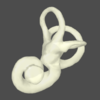
| A teaching, training and test tool for the vestibulo-ocular reflex (VOR) system and its disorders, including BPPV. It demonstrates eye saccades, including those caused by canalithiasis (free-floating particles in the canals), and both functioning and dysfunctional VOR. It shows how BPPV is caused and treated. aVOR demonstrates how head movement has an automatic influence on eye direction, the impact of dysfunction of the semicircular canals, their size, shape and location in the head, and the causes of nystagmus. The application includes a Quiz Mode which presents the symptoms of various types of VOR dysfunction for the student to diagnose. It is designed for college-level neuropsychology students and medical professionals, and incorporates the latest research. aVOR is sponsored by the University of Sydney, Australia. For more details please see the University of Sydney Human Factors Research page at http://www.psych.usyd.edu.au/HumanFactors/?page_id=2160 © © Liberty Information Technology |

Smithsonian Mobile – Smithsonian Institution
|
|||
| Smithsonian Mobile is your digital mobile guide to the Smithsonian, built collaboratively with our visitors. Find out what’s on where, discover highlights, search our collections, access tours, podcasts and other apps. Add tips and photos from your visit for other visitors, or share your experiences and photos with Twitter and Facebook followers and friends. What can you do with Smithsonian Mobile? • Plan your visit with museum hours, locations, floor plans, and more. "Favorite” events and exhibitions to create your own custom tour or scrapbook of your visit. • Find our other mobile apps and websites and dig deeper into our stories. Tour collection highlights, watch videos, and listen to podcasts. • Search our collections to make connections between museums, history, art and science. • Use augmented reality (AR), "Smithsonian that Way," to discover the behind-the-scenes work of the Smithsonian's museums, research centers, libraries, archives, and affiliates in your neighborhood. We want to hear from you! Log in via Facebook or Twitter to comment on our museums, collections, exhibitions, and artifacts. Share your expertise or tips! Continually refreshed and renewed by both visitors and Smithsonian experts, there’s always a reason to come back to Smithsonian Mobile whether you’re on the National Mall, in a Smithsonian museum or beyond! Developed for the Smithsonian by Tristan Interactive. © © Smithsonian Institution |


Math Ninja AR – Fantamstick
|
|||
| Math Ninja AR uses the latest technology, augmented Reality or "AR", to get kids involved in learning addition. The Math Ninja series have proven to be a big hit in Japan with 2 million downloads and over 600 million problem solved. The Math Ninja Series has especially proven to work with kids who don't like learning or who fall behind by gaining their interest and building motivation. This new app aims to gain extra attention by combining Augumented Reality with education. [How to Play] © © Fantamstick, Ltd. |


JigSpace – JigSpace Inc.
|
|||
| We learn better in 3D, that's how we experience the world. JigSpace is the platform to explore and share truly interactive, 3D knowledge for anything. When you ask "How does that work?" the answer is right in front of you, in beautiful, interactive 3D. Dive through dozens of Jigs, learn at your own pace, and satisfy your curiosity. And with the upcoming release of the Jig Workshop, anyone will be able to create Jigs and share them with the world. JigSpace empowers you to learn about the world in a way that simply wasn't possible before. Don’t just learn more — Learn better in 3D with JigSpace. With JigSpace you can: © © 2017 JigSpace Inc. |


CTU Mobile by Colorado Tech – Career Education Corp
|
|||
| Designed to help students at Colorado Technical University fit education into their lives, CTU Mobile offers a secure, convenient way to make the most of mobile moments each day. CTU Mobile makes it easy for you to keep up with classes, get homework done, stay connected with timely notifications, and manage your education on the go. CTU Mobile offers students studying online and on-campus: Your feedback is welcome! Email [email protected] with suggestions. Enjoying the app? Leave a rating or review to help your fellow CTU students. © © Career Education Corporation |


Toddler games for 2 year olds – Bimi Boo Kids – Games for boys and girls LLC
|
|||
| Educational kids games for preschoolers. The app has 48 activities for toddlers that will help your baby develop basic skills like hand eye coordination, fine motor, logical thinking and visual perception. These games are suitable for both girls and boys and can be a part of preschool education for kids. Bimi Boo will visit 6 different locations such as jungle, sea, city, space, desert and Arctic that contain 48 levels with the following types of activities: All the activities were developed with participation of experts in the field of children education. You will never find annoying ads inside our app. We are always glad to receive your feedback and suggestions. © © Bimi Boo Kids – Games for boys and girls |


TOEFL Go! – Educational Testing Service
|
|||
| Introducing the TOEFL® Go!™ mobile app, the only official TOEFL® app from ETS, the maker of the TOEFL® test, the most widely respected English-language test in the world. With 90% of TOEFL test takers getting into their 1st or 2nd choice university, wherever you want to study, the TOEFL test can help you get there. The official TOEFL Go! app offers: •Free sample questions for all 4 sections on the TOEFL test © © Educational Testing Service |