FontsBox: Fonts for you – FROLIMITO LIMITED

FROLIMITO LIMITED - FontsBox: Fonts for you artwork FontsBox: Fonts for you
FROLIMITO LIMITED
Genre: Lifestyle
Release Date: September 3, 2020

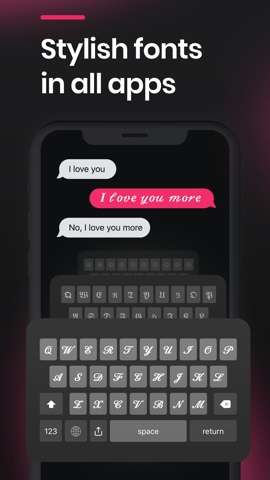
‘Get a stylish custom keyboard for both iPhone and Apple watch!

Our keyboards work with every texting app, including but not limited to: Instagram, TikTok, Snapchat, WhatsApp, Facebook, and Twitter.

With our FontsBox you can:
Make your profile, stories, bios, captions look astonishing
Use custom fonts with any texting app
Access a great variety of symbols
Manage and reorder fonts using your keyboard

Our app is free to download and use meanwhile some of our features are premium ones and can be unlocked by subscribing to FontsBox.

Subscription options:
9.99$ / Month
First 3 days free, After 6.99$ / Week
First week 0.49$, After 6.99$ / Week
Lifetime 39.99$, 9.99$

Payment will be charged to iTunes Account at confirmation of purchase. Subscriptions automatically renew unless auto-renew is turned off at least 24-hours before the end of the current subscription period.
Your account will be charged for renewal within 24-hours prior to the end of the current period, and the cost of the renewal will be identified.
You may manage your subscription and auto-renewal may be turned off by going to your Account Settings after the purchase.
Any unused portion of the free trial period will be forfeited when the user purchases a subscription to that publication.

Visit below links to learn more about us:

Privacy Policy: https://common-storage-01.s3.us-east-2.amazonaws.com/FontsBox+-+Privacy+Policy+-++August+2020+(1).pdf

Terms of Service: https://common-storage-01.s3.us-east-2.amazonaws.com/FontsBox+-++ToS+-+August+2020+(1).pdf
© © FROLIMITO LIMITED

Live Wallpaper & Wallpapers HD – Appic Stars LLC

Appic Stars LLC - Live Wallpaper & Wallpapers HD artwork Live Wallpaper & Wallpapers HD
Appic Stars LLC
Genre: Lifestyle
Release Date: January 31, 2019

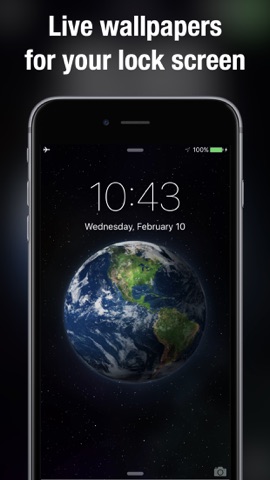
Get COOL Live Wallpapers and HD wallpapers for your iPhone. Make your lock screen come alive. Optimized for iPhone 11, 11 Pro, Xr, Xs, Xs Max, X, 8, 7, 6s and iOS 12. DOWNLOAD NOW!

Animate your Lock Screen with moving wallpapers. It’s so easy – simply choose the dynamic picture you like and save it.

# DISCOVER FEATURES #
– Live Wallpaper Maker – create your exceptional masterpiece for Lock Screen or Home Screen
– Convert any video into Live Photo and use it as live wallpaper on your device
– Crop video with default settings Fill / Fit or scaling video
– Color Filters – funny color filters to decorate your Live Photos or wallpapers
– Animated stickers & GIFs – overlay gifs to decorate your Live Photos and make it unique
– Wallpaper Maker – create your own unique wallpapers from your photos, apply color filters, use image crop, flip & color image correction features to make them unique
– Content Filter – easy-to-use content filter placed at the right bottom of the screen allows you to filter wallpapers, live wallpapers, and shows all available content
– Amend Live Wallpaper Free with our integrated Video Editor
– Amend Wallpapers Free with our integrated Photo Editor
– Quick navigation bar – find what you need faster
– Trending & Popular categories – be on trend with Live Wallpapers on your Lock Screen
– Touch and hold – start the animation like on your lock screen
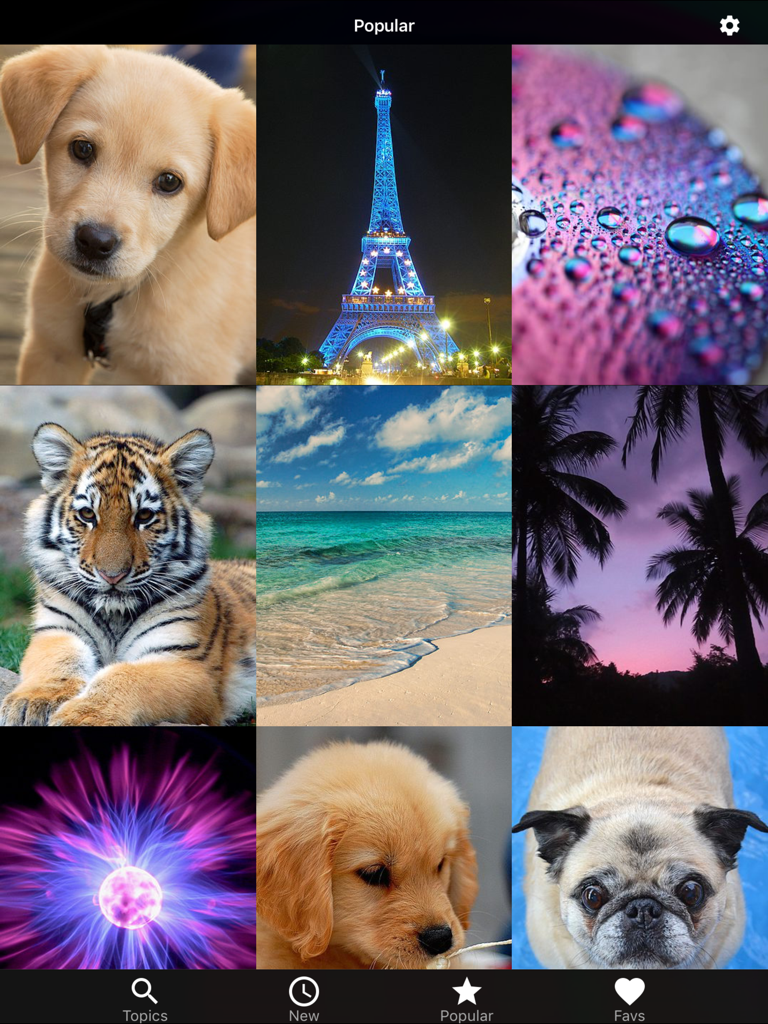
– Huge catalog of FREE 4k / HD Wallpapers – to set on your Home & Lock Screen
– FREE content updates – choose and edit your lock screen every time you want
– Auto-start video preview – check how animated wallpapers fit your lock screen in full mode
– Share your favorite wallpapers or your unique Live Photos with family and friends
– Step-by-step instruction for easy use
– One-tap download to Camera Roll

# HOW TO USE LIVE WALLPAPERS #
– Save the wallpapers you like the most to your Camera Roll
– Set the animations as Live Photo wallpapers for your Lock Screen
– Touch and hold your Lock Screen to watch animation move!

# HOW TO USE WALLPAPERS #
– Save the wallpapers you like the most to your Camera Roll
– Set the wallpapers for your Lock / Home Screen

# REQUESTED ACCESS #
– Photos – Allows to import backgrounds you like and set them to your Lock Screen
– Notifications – Allows notifications to receive the news about the app, new content, updates, and rewards reminders
# SUBSCRIPTION PRICING AND TERMS #
Upgrade to the Premium Access and unlock content, all features and remove ads!
Choose from different subscription options. Our standard subscription options are:
– 1 week recurring subscription after 7-day FREE trial
– 1 month recurring subscription
– 3 months recurring subscription after 7-day FREE trial
– 1 year recurring subscription
* The price is for US customers. Pricing in other countries may vary and actual charges may be converted to your local currency depending on the country of residence.
* Payment will be charged to iTunes Account at confirmation of purchase
* Subscription automatically renews unless auto-renew is turned off at least 24-hours before the end of the current period
* Account will be charged for renewal within 24-hours prior to the end of the current period, and identify the cost of the renewal
* Subscriptions may be managed by the user and auto-renewal may be turned off by going to the user's Account Settings after purchase
* Any unused portion of a free trial period, if offered, will be forfeited when the user purchases a subscription to that publication, where applicable
* Link to Privacy Policy: https://appicstars.com/privacy-policy/
* Link to Terms of Use: https://appicstars.com/terms-of-use/

© © 2018 – 2020, Appic Stars LLC

Dynamic wallpapers & themes – Voros Innovation

Voros Innovation - Dynamic wallpapers & themes artwork Dynamic wallpapers & themes
Voros Innovation
Genre: Lifestyle
Release Date: February 21, 2016

Finally, Live Wallpaper on your iPhone! 100+ beautifully designed moving wallpapers to choose from. Live wallpaper for Lock Screen works on iPhone 6s, 7, 8, X, Xs, Xr, Xs Max, 11, 11 Pro and later

From christmas trees, aquariums, coral reefs with sharks, fireplaces, candle lights, beautiful beaches and living landscapes to geometric patterns, there is something for everyone.

Swipe between the wallpapers to save the ones you would like to use to your Camera Roll. From there simply take the same steps you normally do to make regular photos your lockscreen and/or wallpaper.

How to set as a live lock screen wallpaper:
+ Simply swipe between Live Wallpapers
+ Touch the photo to play animation fully
+ If you like a particular live wallpaper, press the save button to save it to your Photo's app Camera Roll
+ To set as a live wallpaper for your lock screen press the action button and select wallpaper action
+ For best quality, please zoom out the picture because it is slightly zoomed in by default
+ If you touch the lock screen it will play your selected live wallpaper

© © 2020 Voros Innovation

Color Change.r & Recolor Pop – 丽璇 陈

丽璇 陈 - Color Change.r & Recolor Pop artwork Color Change.r & Recolor Pop
丽璇 陈
Genre: Lifestyle
Release Date: September 9, 2016

With this Totally FREE app, you can recolor your photos and apply various color effects to them.

It highlights selected parts of your photo by keeping those areas in full color and converting the rest to black and white. The results can be dramatic!

It provides you the most easy-to-use enhancements for creating art photos.
You can choose to recolor your photos with vivid colors: red, yellow, blue, green or the boring black and white.
Or splash lovely colors on the boring images and make them joyful.
Surely, it lets you gray out everyone in an image, except for yourself.
Gray out everyone in an image, except for you like color splash!

So much fun to play with your ordinary photos.
It lets you become the most creative painter to paint the hair yellow, the sky red, the trees blue or anything weird but wonderful.
And what you need to do is to use your fingers. One for painting while two for zooming or moving.

Key Features:
– Instantly snap a photo or use one from the photo album
– Simply move your index finger to paint or splash colors on the images
– Lots of colors for you to decorate photos
– Easily change the Brush Size, Intensity or Translucence
– Zoom in or out with two fingers
– Quickly to undo or redo the effects with only a tap
– Automatic Edge Correction
– Multiple sharing ways: Facebook, Twitter and many more.

© © 2018 Chen